Download
Download IGNYT
Transform your workouts, nutrition, fasting, hydration, supplements and progress tracking with one powerful app.
Platforms
Android first
iOS and a web dashboard are on the roadmap. They are not built yet, and we would rather say so than take an email address for a launch we cannot date.
Android
Pending Play releaseFree when it lands. Android 8.0 and later, version 1.0.40.
Download onGoogle PlayiOS
Coming soonAn iPhone client with the same local-first guarantees, reading from Apple Health the way the Android build reads Health Connect.
Not yet availableDesktop dashboard
Coming soonA read-and-plan surface on a bigger screen, for programme design and long-range analysis.
Not yet available
App highlights
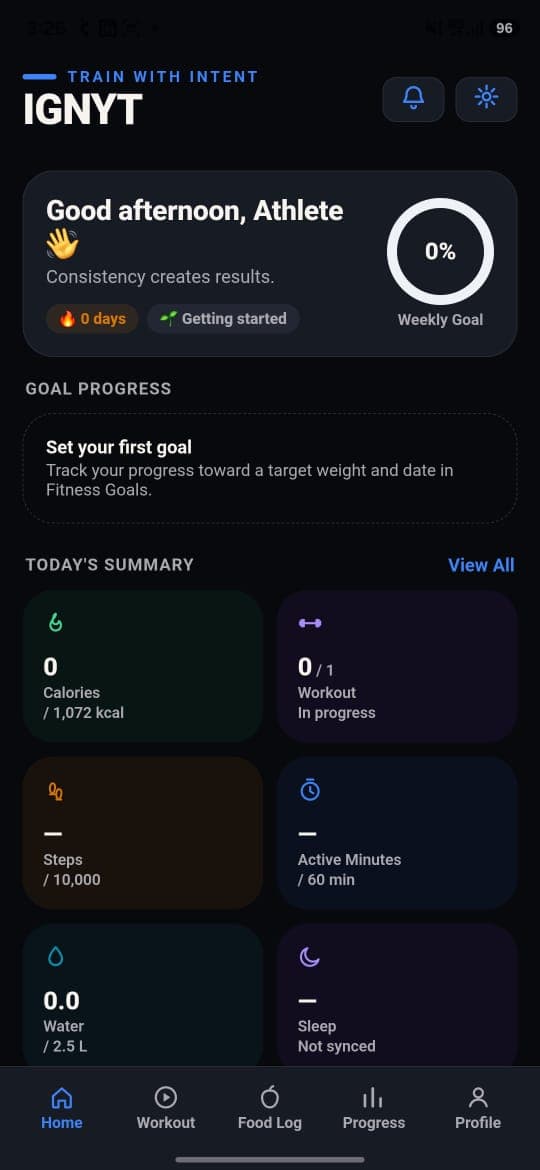
What you get on day one
Workout tracking
Log sets as you lift, with an automatic rest timer and records detected for you.
Nutrition
3,160 foods offline, with macros and the micronutrients most apps skip.
Health Connect
17 Android Health Connect data types, read on-device with your permission.
Water tracker
One-tap hydration logging with quick-add sizes and spaced reminders.
Supplement tracker
Doses, timings, 30-day adherence and a warning before you run out.
Diet plans
Build a repeatable weekly plan, then score how closely you followed it.
Progress
Weekly volume, smoothed weight trend, streaks and every personal record.
Notifications
Independent local schedules for water, training, meals and weigh-ins.
Why download
Six reasons it stays on your phone
Easy to use
One tap to log a set, three to log a meal. Nothing important is more than two screens from the dashboard.
Fast
Search hits an on-device database, so results are instant and never wait on a network round trip.
Offline ready
Logging, search, timers and charts all work with no connection at all. A signal is a bonus.
Secure
Local data sits in app-sandboxed storage; cloud data is scoped to your account by Firestore rules.
Private
No advertising SDKs and no data brokers. Health data is never used for advertising, and analytics are limited to anonymous crash and performance metrics.
Built dark
Designed dark-first and tuned for legibility in a badly lit gym at seven in the morning.
Installation guide
From install to first logged set
Install from Google Play
Open the Play listing and install. The core tracking features are free to use; premium features are available as an optional subscription through Google Play.
Set your profile and targets
Height, weight, age and goal. IGNYT turns those into daily calorie, protein, hydration and training targets you can edit at any time.
Connect Health Connect (optional)
Grant only the data types you want. Denying one metric never blocks the rest.
Log your first workout
Pick a routine or build one, then tick sets off as you lift. The rest timer starts itself.
System requirements
What you need to run it
- Android version
Android 8.0 (Oreo) or later
Built against API 36, with a minimum of API 26 — so it runs on phones going back to 2017.
- Storage
Space for the app plus your own logs
The food database ships inside the app. Your logs grow slowly; progress photographs are the only thing that uses meaningful space.
- Connection
Not required
Every core feature — logging, search, timers, charts — works fully offline. A connection is only used for optional cloud backup.
- Permissions
Notifications and Health Connect, both optional
Notifications power reminders. Health Connect is granted per data type and can be revoked in Android at any time. Neither is required to use the app.
- Latest version
1.0.40 (build 9)
Release notes for the current build live in the What's new section of the Google Play listing.
- Package name
com.varun.ignyt
Check this against the Play listing before installing — it is how you confirm you have the genuine app.
Data safety and permission details are set out in the Privacy Policy and Health Data Policy.
FAQ
Installing, updating and fixing
Installation
How do I install IGNYT?
Open the Google Play listing on your Android phone and tap Install. Play handles the download and setup; nothing needs to be sideloaded and no APK file is involved.
Google Play says the app is not compatible with my device.
IGNYT requires Android 8.0 or later. If your phone runs an older release, Play hides the install button. There is no supported way to run IGNYT below that version.
Do I need a Google account to use the app?
You need one to install from Google Play, but not to use IGNYT. Signing in inside the app is only required for cloud backup and multi-device sync — skip it and everything stays on your device.
Updating
How do I update to the latest version?
Play updates IGNYT automatically if auto-update is on. To update by hand, open the Play listing and tap Update, or use Play's My apps & games screen.
Will updating lose my data?
No. Updates keep your local database intact. If you want a copy before updating anyway, Settings → Export Data produces a full JSON backup at any time.
Where can I see what changed in this release?
The What's new section of the Google Play listing carries the notes for the current release — that is the authoritative source, and it updates the moment a build ships.
Troubleshooting
Reminders are not firing.
Android battery optimisation is almost always the cause. Allow notifications for IGNYT in Android Settings, then exclude IGNYT from battery optimisation so background schedules are not deferred.
Health Connect is showing no data.
Check three things: Health Connect is installed and set up, IGNYT has been granted the specific data types under Health Connect → App permissions → IGNYT, and another app is actually writing that data. Health Connect has nothing to hand over if nothing recorded it.
Sync seems stuck.
Confirm you are signed in and Cloud Sync is enabled, then trigger a manual sync from Settings. Sync needs a connection and resumes on its own once you are back online.
How do I move to a new phone?
Either enable Cloud Sync on both devices, or export a full JSON backup from the old phone and import it on the new one.